
Web
Free
The fastest start. Nothing to install or operate.
- Runs at intunedocumentation.com
- Always on the latest version
- No tenant data stored
Export policies, settings, and assignments to PDF or Word, then map your configuration to compliance frameworks like ISO 27001, NIST, and Essential Eight. Free in the browser, or on your own machine with the desktop app.
Free, delegated, read-only access. The first sign-in in your tenant needs a one-time approval from a Global Administrator, Privileged Role Administrator, or Cloud Application Administrator. /
Can't sign in to third-party apps with your work account?
Run the desktop app instead. It connects through an app registration you create in your own Microsoft tenant, so we never get access to it, and tenant data stays on your computer. Windows and macOS, 30-day money-back guarantee.
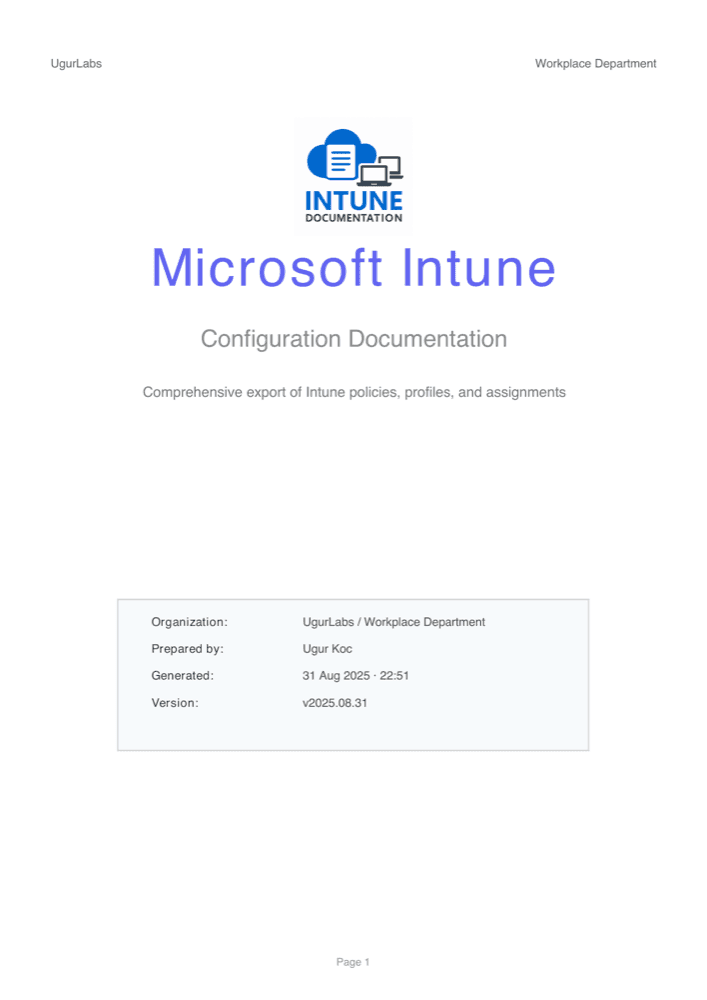
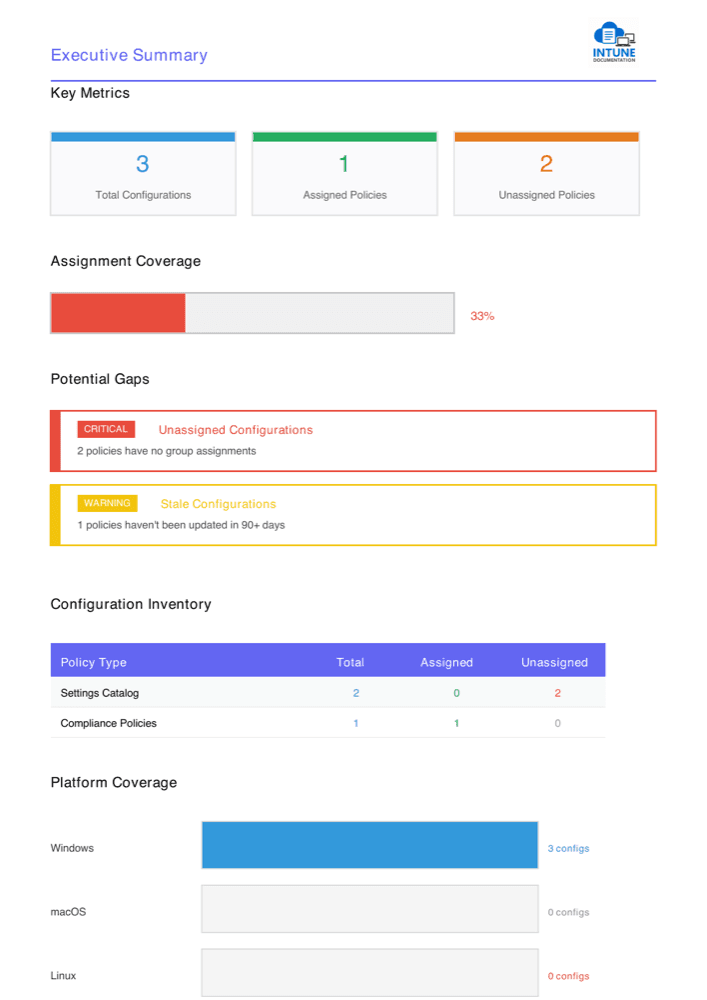
Real export from a sample tenant
How it works
Use your work account. An admin approves the read-only permissions once per tenant; after that, anyone with Intune read access can sign in.
Sections stream in with live progress. Pick configurations by type, search, or select everything; assignments and filters come along.
Download a branded PDF or Word document, or generate a compliance evidence report. Sensitive values stay redacted.
What you get
Every setting with its value and description, grouped by policy, with an executive summary that surfaces unassigned and stale configurations.
Core policies plus 35 additional Graph resource collections: apps, updates, enrollment, RBAC, tenant settings, connectors, and more.
Group targets and filters shown by name, with optional device counts by platform.
Company logo, colors, headers, footers, and confidentiality notices on every page.
Polished documents ready for audits, handovers, and change records.
Partial or failed Graph collections are flagged with endpoint, status, and a permission hint instead of looking empty.
Script bodies, passwords, tokens, and payloads are replaced with [Redacted] before display or export.
Compliance evidence
When an auditor, insurer, or customer questionnaire asks you to prove encryption, screen lock, and patching, map your tenant to the framework they reference instead of collecting screenshots.
Supported frameworks
Reports are supporting evidence for an assessment, not a certification or a calculated maturity level.
Security
Graph responses pass through our application server only to be collected, normalized, and redacted. Your configuration, access token, and generated documents are never persisted.
Delegated, read-only permissions
Microsoft Graph scopes that can read your Intune configuration, never change it. No app-only permissions.
Sensitive values redacted
Script bodies, passwords, tokens, payloads, QR codes, and configuration-file contents are removed before dashboard display or export.
Reports generated in your browser
PDF and Word documents are built on your device and never uploaded to us.
Revoke access anytime
Delete the Intune Documentation app from Entra ID enterprise applications to remove consent for your tenant. Signing out only ends your session.
How your data flows
Microsoft Graph API
Your Intune tenant, delegated read-only access
Transient application processing
Collects, normalizes, and redacts responses without persistent tenant storage
Your browser
Shows collected sections and builds the report locally
Your PDF or Word file
Saved directly to your device
For your security review
The app connects through an app registration you create in your own Microsoft tenant, so we never get access to it. Share the one-page security and architecture overview with your security team: it covers every read-only Graph permission and each connection the app makes, including what our licensing service receives.
Ways to run it
The same documentation engine in every edition. Pick the one that fits where your tenant data is allowed to go.
Free
The fastest start. Nothing to install or operate.
Free
Open source under the Elastic License 2.0.
From €99/mo
For data that must stay on your machines, and for MSPs with many tenants.
Questions, answered
The first time anyone in your organization signs in, Microsoft asks for tenant-wide admin consent, because the Intune and group read permissions are admin-consent scopes. It can be approved by a Global Administrator, Privileged Role Administrator, or Cloud Application Administrator. After that, anyone with read access to Intune can sign in and generate reports, unless your tenant requires user assignment for the app, in which case only assigned users can. What they see is limited by their own Intune role.
We use Microsoft OAuth 2.0 with delegated, read-only access. The application server processes Graph responses transiently to collect, normalize, and redact sensitive values, but it does not persist your tenant configuration or access token. PDF and DOCX generation happens in your browser, and generated documents are not uploaded or stored by us.
Yes. The web tool is free with no usage limits and no credit card. A separate, paid desktop app is available for teams that want collection to run entirely on their own machines and for MSPs that document many tenants. It starts at €99 per month with a 30-day money-back guarantee.
This is a common alert when an app requests the standard 'offline_access' permission from Microsoft identity (used to refresh tokens without repeatedly prompting you). It does NOT grant extra data access beyond your approved read-only scopes, and we use only delegated permissions (no application permissions). Tokens are cached in your browser session and are never stored on our server, and we do not store tenant data.
Coverage includes device configurations, Settings Catalog, compliance, security baselines, administrative templates, scripts and remediations, app protection and configuration, managed apps, Windows updates, enrollment and Autopilot, assignment filters, RBAC, tenant and service settings, connectors, and specialist policies. Conditional Access is optional and requested separately with Policy.Read.All.
Compliance reports map your Intune configuration to ISO/IEC 27001:2022, SOC 2, NIST SP 800-53, NIST SP 800-171, NIST CSF 2.0, BSI IT-Grundschutz, Def Stan 05-138, Cyber Essentials, ASD Essential Eight. Each mapped requirement cites the policy names, settings, values, and assignments used as evidence. Requirements that Intune configuration cannot prove stay explicitly unassessed, so the report is supporting evidence, not a certification.
No. Sensitive values such as script bodies, passwords, tokens, pre-shared keys, QR-code payloads, encoded configuration files, and large app icons are replaced with [Redacted] before data reaches the dashboard or an export. The report retains useful metadata so reviewers can still identify the resource.
Yes, you can customize your documentation with branding options including company logo, custom colors, headers, footers, and confidentiality notices. You can also select specific configurations to include or exclude from the report.
Yes. Intune Documentation is open source under the Elastic License 2.0. The source is at https://github.com/ugurkocde/IntuneDocumentation and you can self-host it with a single docker compose command and your own Microsoft Entra app registration. Telemetry is disabled by default, and Graph responses are only processed by your own deployment.
The dashboard keeps any successfully collected sections and clearly marks partial or failed collections. Warnings include the affected section, endpoint, status code, and a permission hint when available, so a failed request is not presented as a confirmed empty result.
A number of Intune administration resources needed for complete documentation are currently exposed through Microsoft Graph beta. The tool uses those endpoints only for delegated, read-only collection and isolates failures by resource so one unavailable endpoint does not hide the rest of the report.
Collection time depends on tenant size, Graph throttling, and the resources available in your environment. The dashboard streams sections as they finish and shows live progress, then lets you export the successfully collected data even when another section reports a warning.
The Intune Documentation Generator is a free, read-only tool that collects your Microsoft Intune configuration through Microsoft Graph and turns it into a PDF or Word report. It covers the original policy areas plus 35 additional resource collections across updates, scripts and remediations, enrollment and provisioning, apps, assignments and RBAC, tenant settings, connectors, and specialist policies. The exact resources returned depend on your tenant, licensing, and permissions.
Try it now
Sign in with Microsoft and export your first report in minutes. Free, read-only, and nothing stored.